Close Menu
  • Home
    • WhatsApp Business API
    • WhatsApp Analytics
    • WhatsApp Follow-Up Automation
    • WhatsApp Forms
    • AI WhatsApp Agent
    • Shared WhatsApp Inbox
    • WhatsApp Chatbot Builder
    • WhatsApp for Customer Support
    • WhatsApp Lead Management
    • Team Collaboration
    • WhatsApp CRM
    • WhatsApp Template Management
    • WhatsApp Broadcast Software
    • WhatsApp Flow Builder
    • Explore More
    • Ecommerce
    • Clinics
    • Travel
    • Education Consultants
    • Real Estate
    • Explore More
    • Blog
    • Help Center
    • API Documentation
  • Pricing
    • WhatsApp Message Cost Calculator
    • WhatsApp Chat Widget Generator
    • WhatsApp QR Code Generator
    • WhatsApp Click-to-Chat Button Generator
    • WhatsApp Link Generator
    • WhatsApp Character Counter
    • UTM WhatsApp Link Builder
Implifie Logo
  • Home
  • Features
    • WhatsApp Business API
    • WhatsApp Analytics
    • WhatsApp Follow-Up Automation
    • WhatsApp Forms
    • AI WhatsApp Agent
    • Shared WhatsApp Inbox
    • WhatsApp Chatbot Builder
    • WhatsApp for Customer Support
    • WhatsApp Lead Management
    • Team Collaboration
    • WhatsApp CRM
    • WhatsApp Template Management
    • WhatsApp Broadcast Software
    • WhatsApp Flow Builder
    • Explore More
  • Industry
    • Ecommerce
    • Clinics
    • Travel
    • Education Consultants
    • Real Estate
    • Explore More
  • Resources
    • Blog
    • Help Center
    • API Documentation
  • Pricing
  • Free Tools
    • WhatsApp Message Cost Calculator
    • WhatsApp Chat Widget Generator
    • WhatsApp QR Code Generator
    • WhatsApp Click-to-Chat Button Generator
    • WhatsApp Link Generator
    • WhatsApp Character Counter
    • UTM WhatsApp Link Builder
Login Iconlogin7-Day Free TrialArrow Icon
Shared Inbox • Team Assignment • Customer Handoff

WhatsApp Team Collaboration for Sales and Support Teams

Use Implifie to help your team manage WhatsApp conversations together with shared inbox, chat assignment, customer context, notes, AI reply suggestions, and follow-up workflows.

Start 7-Day Free TrialBook a Demo

Built for teams using WhatsApp Business API • Guided setup available
  • Shared WhatsApp Inbox
  • Chat Assignment
  • Customer Context
  • Internal Notes
  • AI Reply Suggestions
  • Follow-Up Workflows
WhatsApp Team Collaboration dashboard preview
WhatsApp Team Collaboration CRM metric preview 2
WhatsApp Team Collaboration CRM metric preview 3
WhatsApp Team Collaboration CRM metric preview 4
Team WhatsApp Inbox

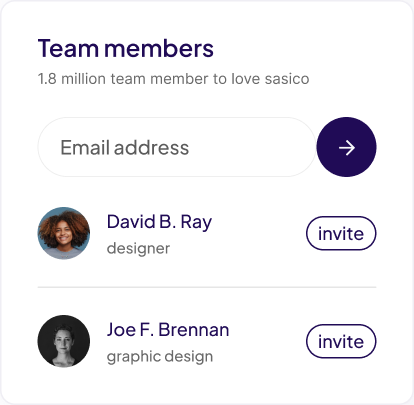
Work together on WhatsApp conversations without losing customer context

Implifie gives your team a shared WhatsApp workspace to assign chats, view customer history, add notes, manage handoffs, and respond faster.

Shared WhatsApp InboxChat AssignmentCustomer ContextInternal NotesAI Reply SuggestionsFollow-Up Workflows
Collaboration Features

Give your team the tools to manage WhatsApp conversations together

Use Implifie to assign conversations, organize customer context, manage support queues, and keep sales and support teams aligned.

01

Shared WhatsApp inbox

Manage all customer conversations from one team inbox instead of personal WhatsApp accounts.

  • Shared WhatsApp inbox
  • Assign chats to team members
  • View customer context
Start 7-Day Free Trial
Assign chats to team members

Assign chats to team members

Route conversations to the right sales or support agent so every customer gets the right response.

View customer context

View customer context

See contact details, tags, notes, previous messages, and CRM activity before replying.

Add internal notes

Add internal notes

Keep team context visible without sending those notes to the customer.
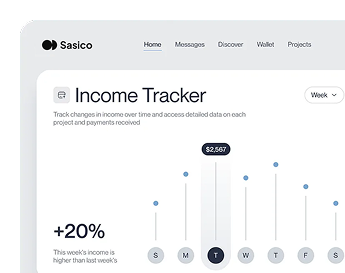
WhatsApp Team Collaboration CRM dashboard preview

WhatsApp becomes chaotic when multiple people handle customer conversations

When customer chats are managed from personal phones or disconnected tools, teams lose visibility. Sales and support agents may reply twice, miss messages, forget follow-ups, or lose important customer context.

Implifie helps your team manage WhatsApp conversations from one shared workspace with assignment, notes, CRM context, automation, and clear handoff between team members.

How It Works

Step-by-step: how teams collaborate on WhatsApp with Implifie

Implifie gives your team a simple workflow to receive, assign, reply, and follow up on WhatsApp conversations.

01

Receive conversations in one inbox

All customer WhatsApp conversations appear in a shared team inbox with customer context.

02

Assign chats to the right person

Route conversations to sales, support, or operations team members based on the customer need.

03

Reply with context

Agents can view chat history, notes, tags, and AI suggestions before responding.

04

Continue follow-ups

Use reminders, templates, chatbot workflows, and CRM updates to continue the customer journey.

Team Inbox

Manage every WhatsApp conversation with shared visibility

Implifie helps sales and support teams work together without confusion. Your team can see who is handling a conversation, what the customer asked, what was promised, and what should happen next.

Explore Team Inbox

WhatsApp Team Collaboration shared workflow preview
Simple Trial

Try WhatsApp team collaboration with a 7-day free trial

Explore Implifie with your team and test shared inbox, chat assignment, notes, CRM context, AI reply suggestions, and follow-up workflows.

Starter Trial7-Day Free Trial

Best for testing WhatsApp automation with your team.

Start 7-Day Free Trial
  • Shared WhatsApp inbox
  • Basic CRM and contacts
  • Template testing
  • Broadcast testing
  • Guided setup
GrowthBook Demo

Best for teams ready to automate enquiries, campaigns, and support.

Book a Demo
  • Inbound workflows
  • Broadcast campaigns
  • Team assignment
  • Chatbot automation
  • Analytics
ScaleTalk to Sales

Best for advanced workflows, integrations, and multi-team operations.

Talk to Sales
  • Advanced automation
  • AI reply suggestions
  • Custom integrations
  • Priority support
  • Advanced reporting
Team Use Cases

Built for teams that manage WhatsApp conversations together

Use this section for real proof later. Until then, show practical team use cases such as support queues, sales handoffs, lead assignment, internal notes, and shared customer history.

Cleaner team accountability

Implifie keeps WhatsApp conversations visible, assigned, and ready for the next sales or support action.

Better customer continuity

Implifie keeps WhatsApp conversations visible, assigned, and ready for the next sales or support action.

Less duplicate work

Implifie keeps WhatsApp conversations visible, assigned, and ready for the next sales or support action.

Human Handoff

Move conversations from automation to the right team member

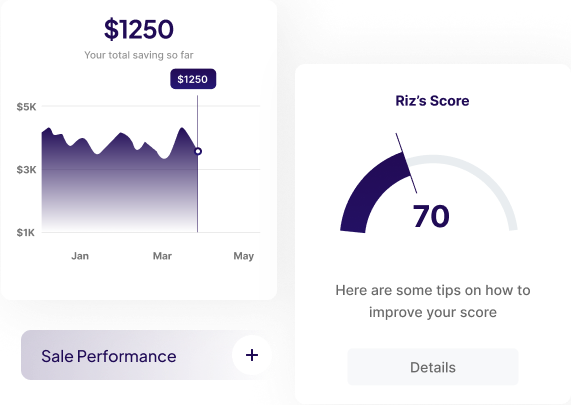
Use automation for repetitive steps and let your team take over when a customer needs personal help. Implifie supports smooth handoff between chatbot flows, AI assistance, and human agents.
WhatsApp Team Collaboration workspace previewBook a Demo
Team Use Cases

Built for teams that manage WhatsApp conversations together

Implifie helps teams manage WhatsApp chats together with assignment, customer context, notes, and follow-up workflows.Use Case Example
Connected Team Workflows

Connect team conversations with CRM and workflow tools

Implifie helps your team connect WhatsApp conversations with CRM, spreadsheets, calendars, webhooks, and internal workflows.

WhatsApp Team Collaboration integration ecosystem
WhatsApp Cloud APIZoho CRMGoogle SheetsGoogle CalendarWebhooksOdoo
FAQs

Questions about WhatsApp team collaboration

Learn how Implifie helps teams manage WhatsApp conversations together with shared inbox, assignments, notes, CRM context, and AI assistance.

What is WhatsApp team collaboration?

WhatsApp team collaboration allows multiple team members to manage customer conversations from a shared inbox with assignment, customer context, notes, and follow-up workflows.

Can multiple agents use the same WhatsApp inbox?

Yes. Implifie gives teams a shared WhatsApp inbox where agents can manage and assign customer conversations together.

Can I assign WhatsApp chats to team members?

Yes. Conversations can be assigned to the right sales or support team member so ownership is clear.

Can agents see customer history?

Yes. Team members can view customer context, conversation history, tags, notes, and CRM-related details where available.

Can chatbot conversations be handed over to humans?

Yes. Implifie can support chatbot-to-human handoff so automation handles repetitive steps while team members handle important conversations.

Does Implifie support AI reply suggestions?

Yes. Implifie can provide AI-assisted replies and chat summaries to help agents respond faster while keeping humans in control.

WhatsApp Team Collaboration FAQ illustration
News & Guides

CRM success stories and playbooks

How WhatsApp CRM improves lead follow-up

How WhatsApp CRM improves lead follow-up

Read More
Sales handoff workflows for WhatsApp teams

Sales handoff workflows for WhatsApp teams

Read More
Customer support playbooks for shared inboxes

Customer support playbooks for shared inboxes

Read More
Book a Demo

See how your team can collaborate better on WhatsApp

Tell us how your sales and support team currently handles WhatsApp conversations. We’ll help you understand how Implifie can improve assignment, handoff, visibility, and follow-ups.

Book a Demo
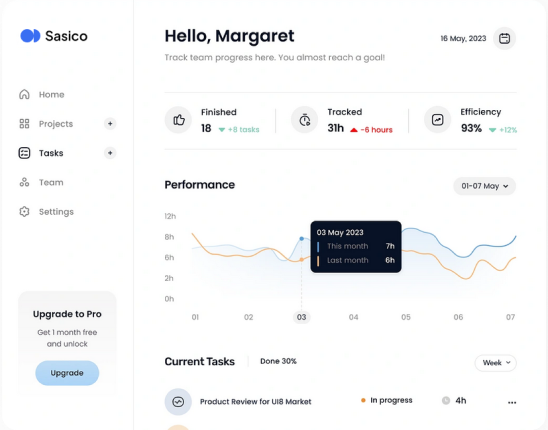

WhatsApp Team Collaboration platform interface

Try WhatsApp team collaboration with Implifie

Start your 7-day free trial and see how your team can manage WhatsApp conversations, assignments, customer context, notes, and follow-ups from one platform.

Start 7-Day Free TrialArrow IconBook a Demoplay btn
footer logo

Implifie helps businesses automate WhatsApp conversations, manage leads, send broadcasts, build chatbot workflows, and support customers from one connected platform.

  • Facebook icon
  • Twitter icon
  • LinkedIn icon
  • Instagram icon

Product

  • Features
  • Integrations
  • Download
  • Pricing

Company

  • About us
  • Latest Blog
  • Our Clients
  • Careers

Join Our Newsletter

Never Miss an Update - Sign Up Today

Implifie, 2026 © All rights reserved

  • Terms & Conditions
  • Privacy Policy